Understanding Mechanical Keyboard Switch Types
Mechanical keyboards have surged in popularity over the last decade, primarily due to their tactile feedback, durability, and customizable features. At the heart of every mechanical keyboard lies the switch, which significantly influences the typing experience. This article will explore the various types of mechanical keyboard switches, focusing specifically on their characteristics and how they cater to typists.
Linear Switches: Characteristics and Typing Feel
Linear switches are characterized by a smooth keystroke from the top to the bottom, with no tactile bump or audible click. This makes them ideal for typists who prefer a quiet and uninterrupted typing experience. The actuation force typically ranges from 40g to 60g, allowing for a light touch without sacrificing control.
Examples of popular linear switches include:
- Cherry MX Red: With a 45g actuation force, these switches are favored by gamers but also appeal to typists due to their smooth operation.
- Gateron Red: Known for being smoother than their Cherry MX counterparts, Gateron Reds provide an effortless typing experience.
- Kailh Box Red: These switches feature a dust and water-resistant design, making them durable while maintaining a linear feel.
For typists who prioritize speed and consistency, linear switches can enhance typing efficiency by minimizing finger fatigue and allowing for rapid key presses.
Tactile Switches: Feedback and Performance
Tactile switches offer a noticeable bump at the actuation point, providing tactile feedback without the loud click of clicky switches. This feedback helps typists know when a key has been activated, which can enhance typing accuracy and confidence. The typical actuation force for tactile switches ranges from 45g to 55g.
Some notable tactile switches include:
- Cherry MX Brown: These are the go-to tactile switch for many typists, featuring a 45g actuation force and a balanced feel that caters to both typing and gaming.
- Gateron Brown: Similar to Cherry MX Browns but often regarded as smoother, Gateron Browns also provide a satisfying tactile bump.
- Kailh Box Brown: Offering better dust and water resistance, these switches retain the tactile feedback while enhancing durability.
Typists who enjoy a balance between feedback and quietness often prefer tactile switches, as they provide the best of both worlds.
Clicky Switches: Auditory and Physical Feedback
Clicky switches are known for their distinctive sound and tactile feedback, making them a favorite among typists who enjoy auditory confirmation with each keystroke. The actuation force for clicky switches typically ranges from 50g to 60g, which can be slightly more demanding than linear or tactile options.
Popular clicky switches include:
- Cherry MX Blue: With a 50g actuation force, these switches are iconic for their loud click sound and tactile feedback, ideal for typists who enjoy a more traditional feel.
- Gateron Blue: Similar in feel to Cherry MX Blues but praised for their smoother action, Gateron Blues are a popular alternative.
- Kailh Box White: These switches feature a click mechanism that is slightly different from traditional clicky switches, offering a unique typing experience.
While clicky switches can be satisfying for typing, they may not be suitable for shared workspaces due to their noise level. However, many typists find the auditory feedback enhances their productivity.
Comparative Analysis of Popular Switch Brands
With various brands producing mechanical switches, understanding the differences can help typists make informed decisions. Below, we analyze three of the most prominent switch brands: Cherry, Gateron, and Kailh.
Cherry MX: The Standard in Mechanical Switches
Cherry MX switches have become synonymous with mechanical keyboards. They are renowned for their reliability, consistency, and wide availability. Cherry MX switches undergo rigorous testing, ensuring that they can withstand millions of keystrokes, making them ideal for heavy typists.
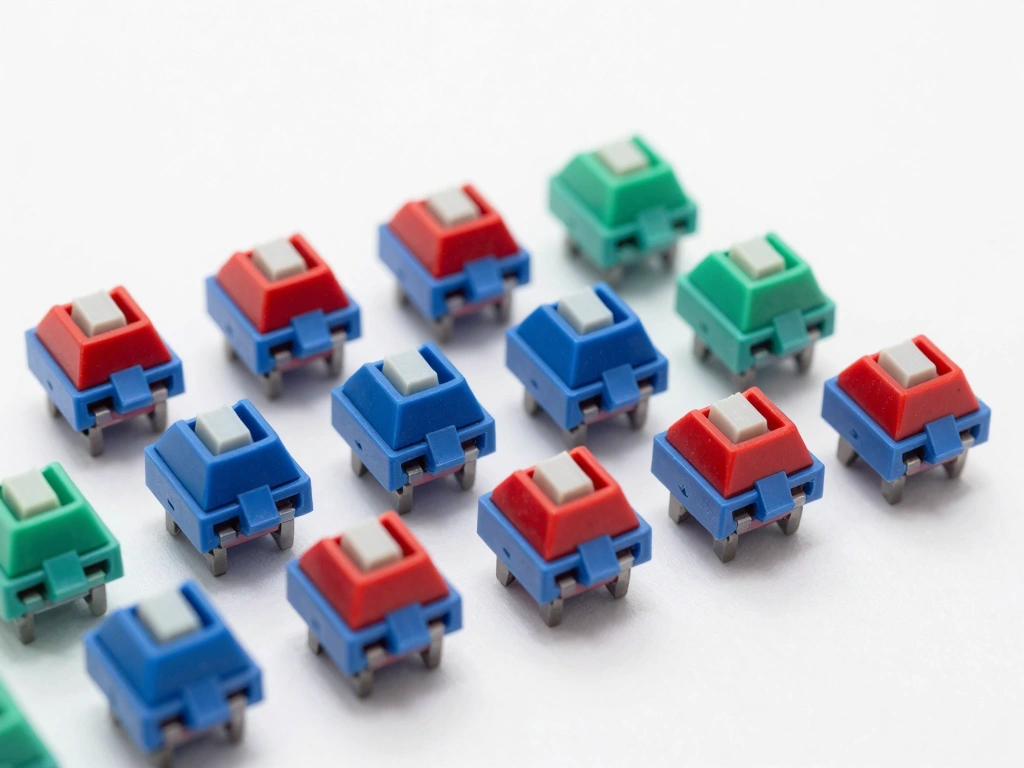
Their color-coded system simplifies the process of choosing switches based on preferences for linear, tactile, and clicky feedback. For example, Cherry MX Red (linear), Brown (tactile), and Blue (clicky) are some of the most popular choices among typists.
Gateron: An Alternative with Unique Traits
Gateron switches have gained traction as a cost-effective alternative to Cherry MX switches, known for their smoother keystrokes. Many users argue that Gateron switches provide a better typing experience due to their unique manufacturing process, which results in less friction.
Gateron also offers a broader range of colors, including options like Gateron Yellow (linear) and Gateron Green (clicky), which are less common in the Cherry lineup. This diversity allows typists to explore various typing sensations without breaking the bank.
Kailh: Innovations in Mechanical Switch Design
Kailh has emerged as a significant player in the mechanical switch market, introducing innovative designs and features. Known for their Box switches, Kailh has focused on creating switches that resist dust and moisture, making them ideal for users concerned about durability.
The Kailh Box White and Kailh Box Brown switches offer unique tactile and audible feedback, appealing to typists who want something different from traditional Cherry or Gateron options. Kailh's collaboration with various keyboard manufacturers has also resulted in a wide array of custom switches tailored for specific user preferences.
Switch Actuation Force and Its Impact on Typing Speed
Actuation force—the amount of force required to press a key down to register a keystroke—plays a crucial role in determining typing speed and comfort. Understanding actuation force ratings can help typists select a switch that aligns with their typing style.
Understanding Actuation Force Ratings
Actuation force is measured in grams (g), with most mechanical switches requiring between 40g and 60g to actuate. Lighter switches (around 40g) can facilitate faster typing speeds, while heavier switches (above 60g) may provide a more deliberate typing experience.
For typists, the choice of actuation force often comes down to personal preference. Some may prefer the light touch of a linear switch, while others may find the resistance of a heavier tactile or clicky switch more satisfying.
How Actuation Force Affects Typing Technique
The actuation force can significantly impact typing technique. Lighter switches can encourage faster typing, as fingers glide effortlessly across the keyboard. However, they can also lead to accidental key presses if the typist is not careful.
Conversely, heavier switches require more deliberate finger movements, which can promote accuracy but may slow down typing speed for some individuals. It's essential for typists to try different actuation forces to determine what feels most comfortable and efficient for their typing style.
Finding the Right Balance for Comfort and Speed
The ideal actuation force varies from typist to typist. Some may find that a 45g switch strikes the perfect balance, offering a comfortable typing experience without being too light or too heavy. Others might prefer a heavier 55g or 60g switch for the added tactile feedback.
It may be beneficial for typists to test various switches before making a decision. Many keyboard retailers offer sample switches or switch testers, allowing users to experience different actuation forces and switch types firsthand.
Noise Levels: Choosing the Right Switch for Your Environment
Noise levels are an essential consideration for typists, especially in shared environments such as offices. The choice between linear, tactile, and clicky switches can significantly affect the auditory experience of typing.
Evaluating Noise Levels of Different Switch Types
Linear switches are generally the quietest option, making them ideal for environments where noise is a concern. Tactile switches produce a soft sound that is less intrusive than clicky switches, which can be quite loud and disruptive.
For example, Cherry MX Blue switches can reach sound levels of 60 decibels, while Cherry MX Brown switches typically hover around 50 decibels. Linear switches, such as Cherry MX Red, are often quieter, around 35-40 decibels.
Considerations for Office vs. Home Typing
For typists working in an office setting, choosing a quieter switch can enhance workplace harmony and improve relationships with colleagues. Tactile switches like Cherry MX Brown or Gateron Brown offer a good compromise between feel and noise. In contrast, clicky switches might be better suited for home use, where typists can enjoy the auditory feedback without disturbing others.
Solutions for Noise Reduction in Mechanical Keyboards
If a typist prefers a clicky or tactile switch but is concerned about noise levels, several solutions can help mitigate sound:
- O-Rings: These rubber rings can be installed on keycaps to dampen the sound of key presses and bottoming out.
- Sound Dampening Mats: Placing a mat beneath the keyboard can absorb vibrations and reduce noise.
- Switch Lubing: Lubricating switches can reduce friction and noise, resulting in a smoother and quieter keystroke.
Customization and Modifications for Enhanced Typing Experience
For many mechanical keyboard enthusiasts, customization is a vital aspect of the typing experience. Modifying switches and keyboards can enhance comfort and performance, allowing typists to create a personalized setup.
Switch Lubing: Benefits and Techniques
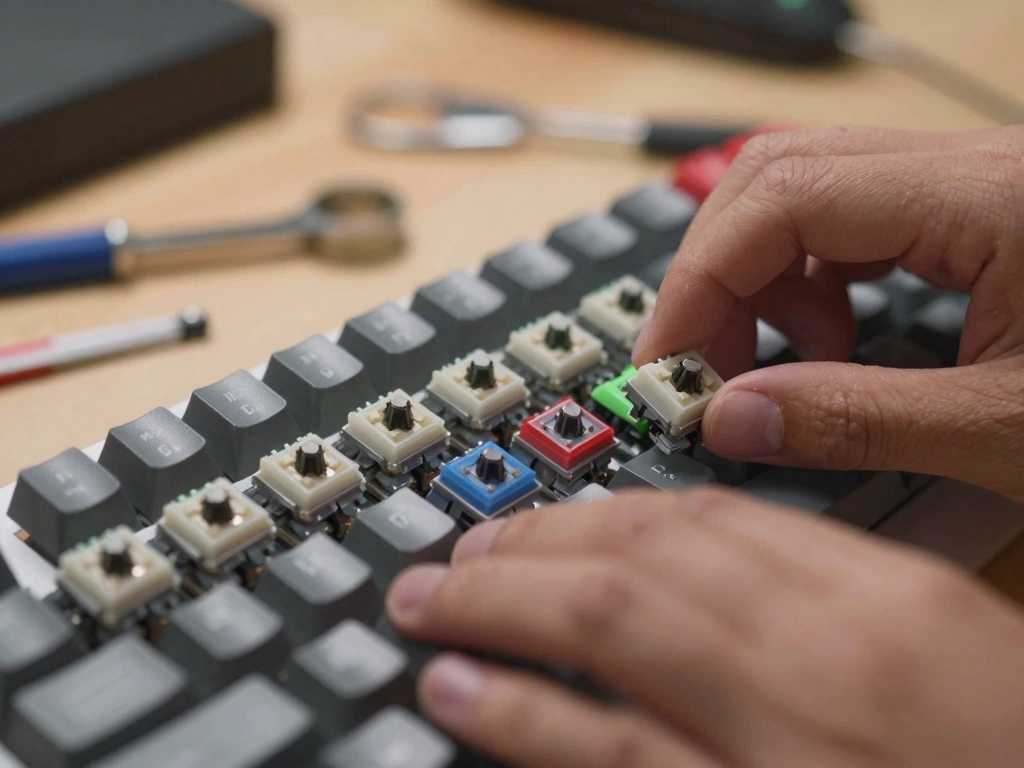
Lubing switches involves applying a lubricant to the internal components of the switch to reduce friction and noise. Properly lubing can result in a smoother keypress and an overall quieter keyboard. There are several methods for lubing switches, including:
- Disassembly: Open each switch and apply lubricant to the stem and spring. This method requires more time and care but offers the best results.
- Spray Lubricants: Some users opt for spray lubricants for quick applications, although they may not provide the same level of control.
Keycap Choices: Material and Design Impact
Keycap material and design can significantly influence the typing experience. Common materials include:
- ABS (Acrylonitrile Butadiene Styrene): Often used in budget keycaps, ABS is durable but can develop a shiny appearance over time.
- PBT (Polybutylene Terephthalate): More resistant to wear and tear, PBT keycaps provide a sturdier feel and are preferred by many typists.
Additionally, keycap profiles (such as SA, DSA, or Cherry) can affect the feel of the keyboard, so typists should consider their preferences when selecting keycaps.
Sound Dampening Mods: Improving Acoustic Performance
For typists who want to reduce noise without sacrificing the tactile or clicky feel, sound dampening modifications can be beneficial. Techniques include:
- Foam Inserts: Adding foam inside the keyboard case can dampen vibrations and reduce sound.
- Silicone Dampeners: These can be placed between the PCB and the case to absorb sound and improve acoustics.
Experimenting with different mods can help typists find the ideal combination for their preferences and environment.
In conclusion, choosing the right mechanical keyboard switch is crucial for typists seeking an optimal typing experience. By understanding the characteristics of linear, tactile, and clicky switches, analyzing popular brands, and considering factors such as actuation force and noise levels, typists can select a switch that enhances their productivity and comfort. With the added option for customization and modifications, mechanical keyboards offer a versatile and enjoyable typing solution.